Plan reviewed before running
The plan lists every command and every file. Nothing is installed before the review screen.
For macOS and Linux
Shell, modern CLI tools, git, Helix as an IDE, languages, containers and the kitty + herdr terminal, from profiles and a declarative catalog.
curl -fsSL https://raw.githubusercontent.com/eusener/kanivet-cli/master/install.sh | shIn the interactive flow, nothing changes before you review the plan. Changed files are backed up and come back with restore.
The script downloads the latest release, checks the SHA-256 and installs to ~/.local/bin, without sudo.
curl -fsSL https://raw.githubusercontent.com/eusener/kanivet-cli/master/install.sh | shcurl -fsSLo install.sh https://raw.githubusercontent.com/eusener/kanivet-cli/master/install.sh && less install.sh && sh install.shmacOS through the browser: the binary is not signed by Apple, so Gatekeeper blocks the .tar.gz. Unblock it with xattr -d com.apple.quarantine ./kanivet-cli. The script does not hit this block.
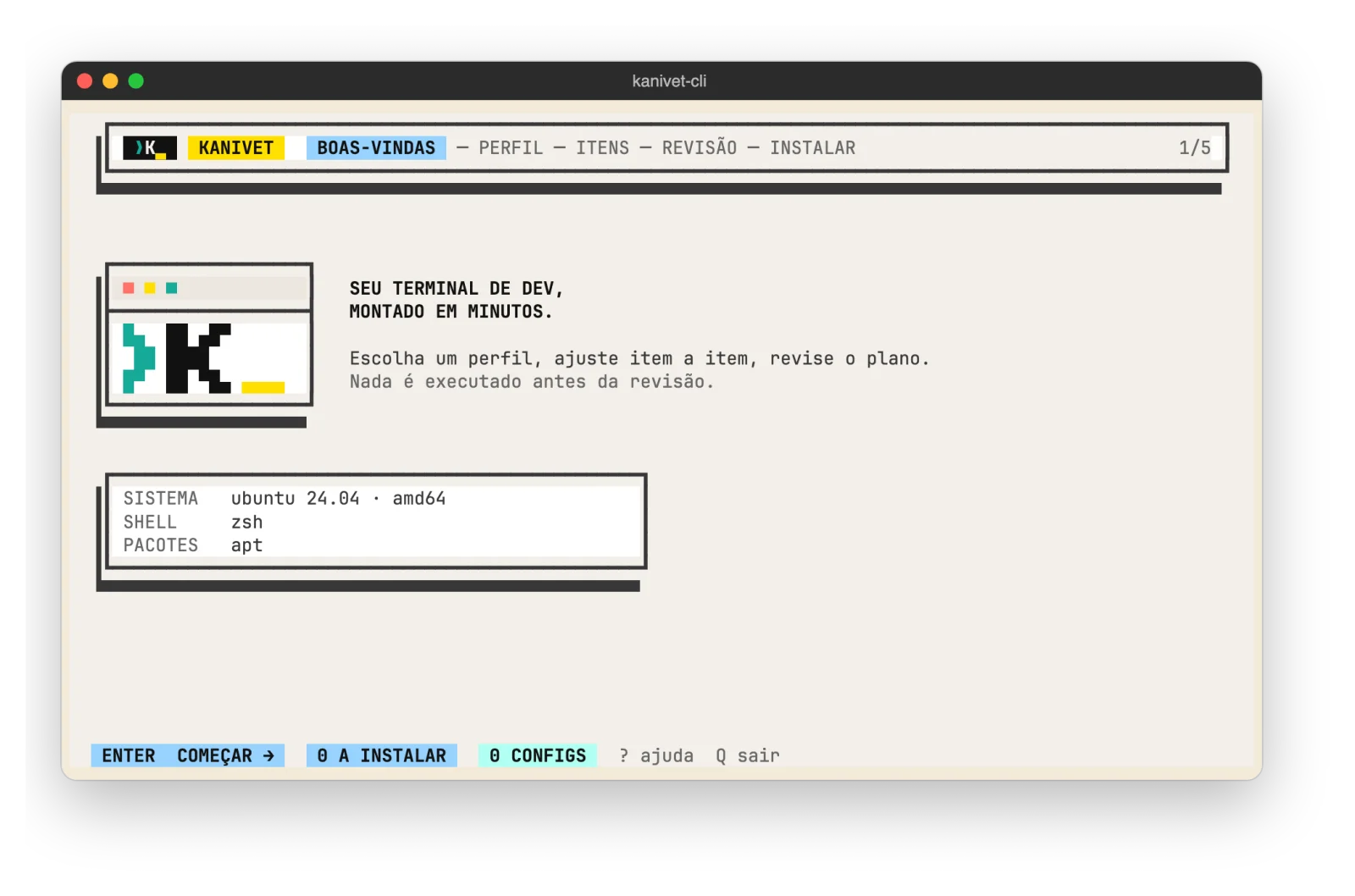
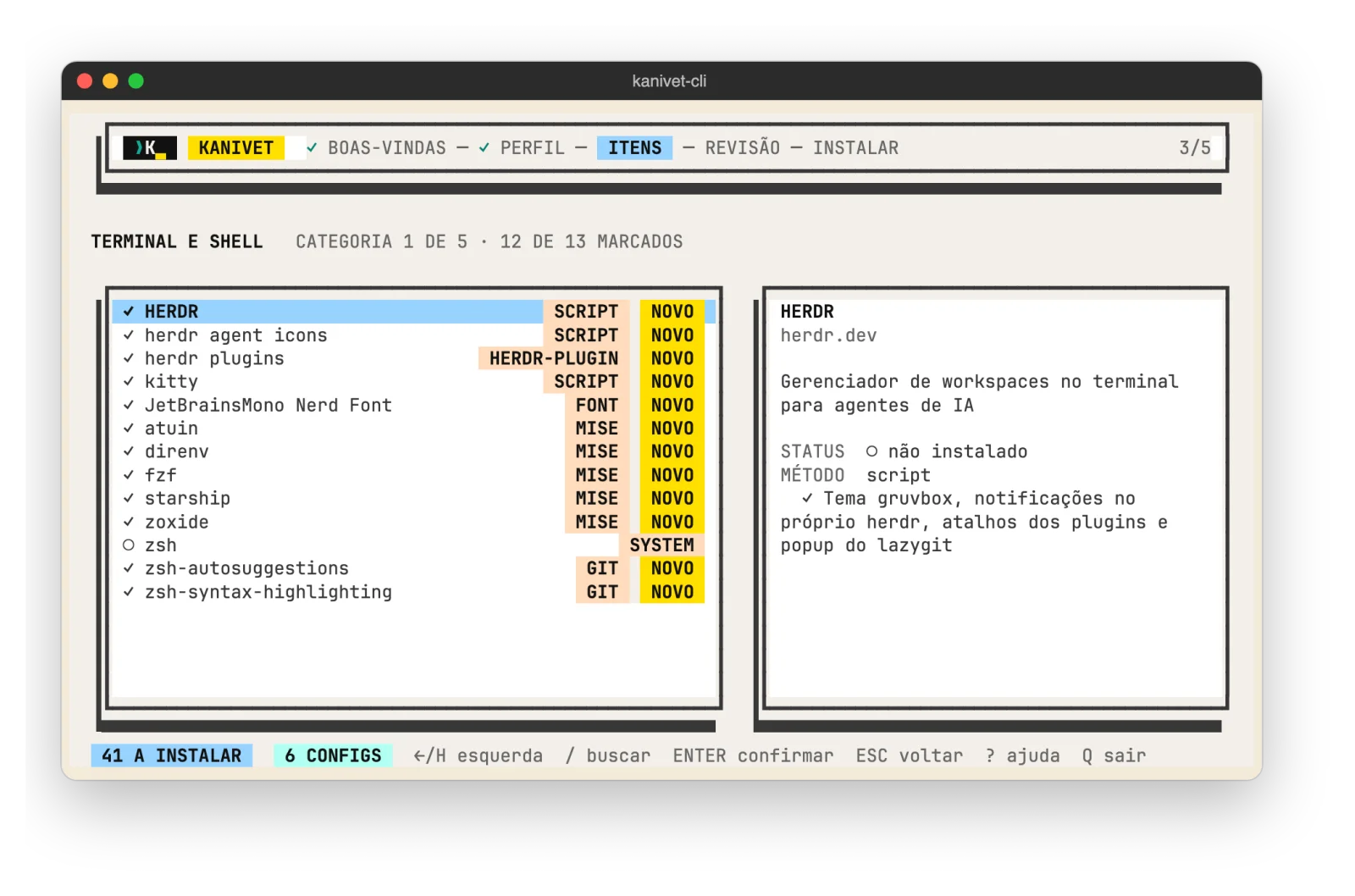
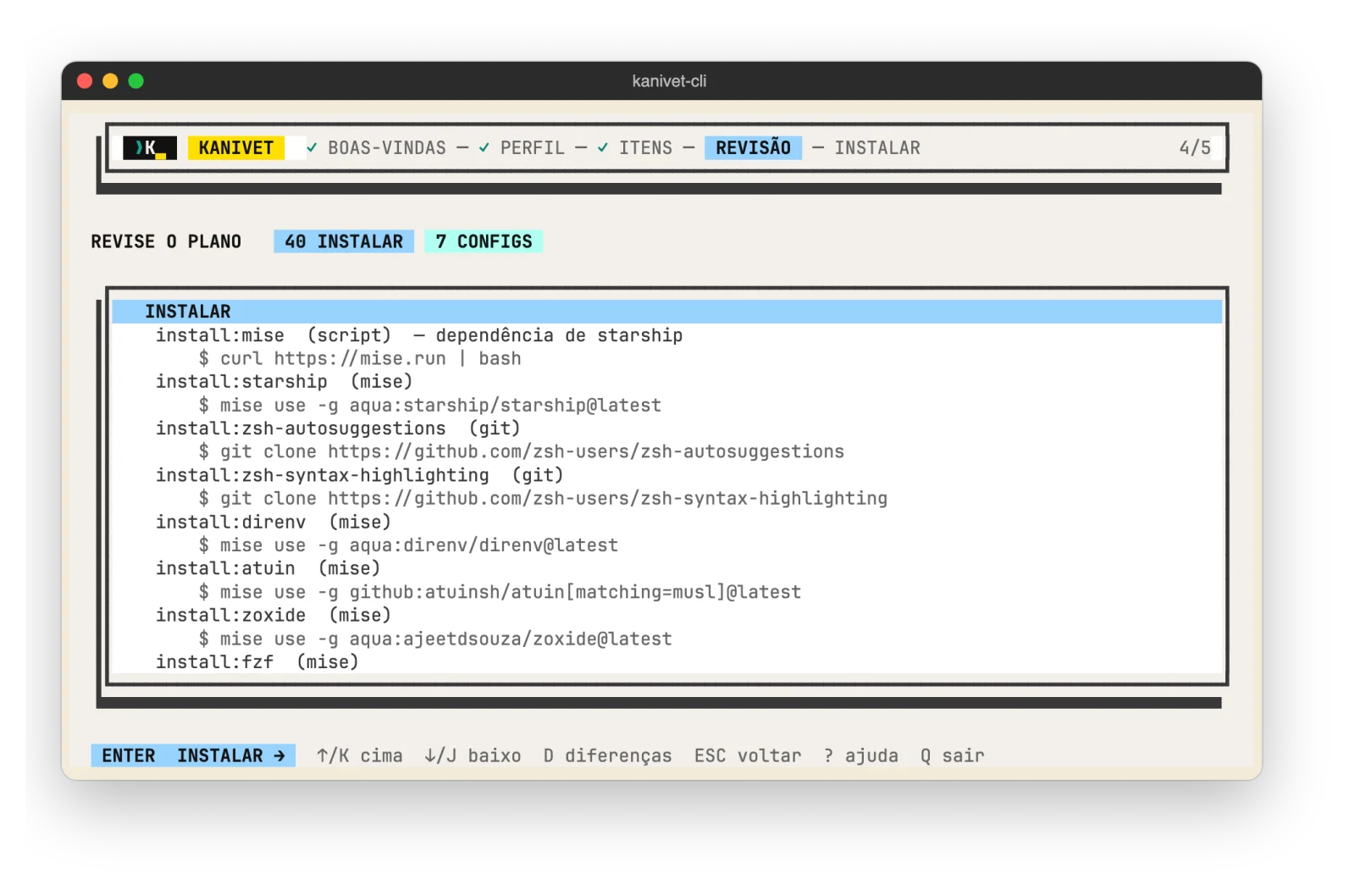
The plan lists every command and every file. Nothing is installed before the review screen.
Existing files are copied before they change, and kanivet-cli restore undoes a run.
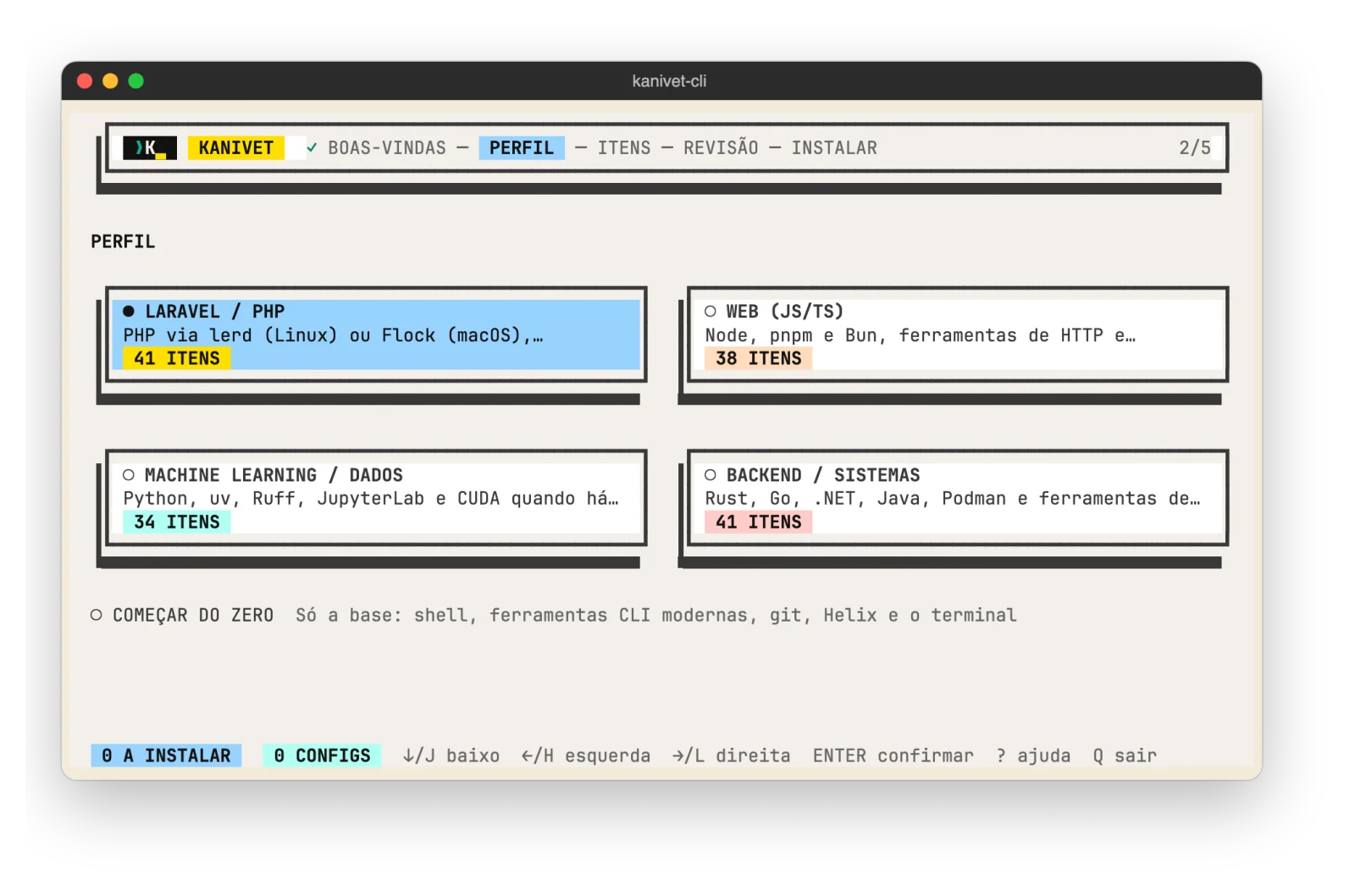
blank, web, laravel, ml and backend. After the profile, each category can be adjusted item by item.
Everything comes from YAML files in catalog/, validated with kanivet-cli catalog lint.
The TUI guides the first install; the CLI has plan, install, update, uninstall, restore and doctor.
The binary goes to ~/.local/bin without sudo. Only the items in the plan's "Needs sudo" section ask for the password, once.
No runtime dependencies.
Debian/Ubuntu and Fedora with their own package, Arch and openSUSE through the script or tarball. x86_64 and arm64.
One curl command, or the .deb/.rpm package for your distribution.
The wizard asks for a profile, shows the categories and ends at the plan review.
kanivet-cli runs the plan and shows a summary. Later, kanivet-cli update updates what it installed.
The tool list is not available here yet. See the profiles and the catalog in the README.
Open the READMEThe files are on the GitHub releases page.
Open the releasesOne command installs the binary. The plan waits for your review.
curl -fsSL https://raw.githubusercontent.com/eusener/kanivet-cli/master/install.sh | sh